
Container haulage article
Container Delivery Updates: When 5 Business Days at Port Mean Trouble
Container delivery updates that predict collection: spot destination leg gaps and treat over 5 business days without gate out as a red flag.
The fastest way to get reliable container delivery updates is to enter the container number into a tracker that fuses carrier milestones with vessel AIS position, then subscribe to alerts rather than checking manually. Milestone-based updates go quiet during ocean transit; that is normal. The moment that matters is the destination leg, where gate events, customs clearance, and terminal appointments decide whether your delivery arrives on time.
TL;DR:
- Real-time container tracking relies on combining daily carrier milestone polling with AIS vessel signals to provide the most accurate location updates, especially during ocean transit.
- Land-side events like discharge, customs release, and gate out are critical indicators for final delivery planning, but delays often occur at this stage due to paperwork issues or missed appointments.
- Checking container status should start with the carrier’s portal, then move to multi-carrier trackers or AIS for independent confirmation, and alerts should be set up immediately once a record is found.
- Automated tracking platforms that integrate multiple data sources and combine dashboard alerts with human review significantly reduce missed updates and improve operational reliability.
- The biggest cause of delays is usually customs holds or truck appointment gaps, which can be mitigated by synchronizing system alerts, booking truck slots promptly after discharge, and retaining full event history for dispute resolution.
Table of Contents
- How container tracking actually works
- Where updates come from and which ones matter for delivery planning
- How to read status messages and when to act
- How to check container status right now
- Alerts, subscriptions, and system integrations that keep you informed
- How to prevent missed updates on the destination leg
- Operations checklist: what to do at each stage
- Why tracking has to be operational, not just informational
- Fewer missed updates, less admin, one transport desk
- Sources
- FAQ
How container tracking actually works
Every container generates hundreds of raw data points as it moves: gate in, loaded, vessel departure, transhipment, discharge, gate out. A single carrier can produce hundreds of these events per voyage, and modern tracking platforms consolidate them into a standardised milestone list so you see gate in, loaded, discharged, and gate out rather than raw system noise.
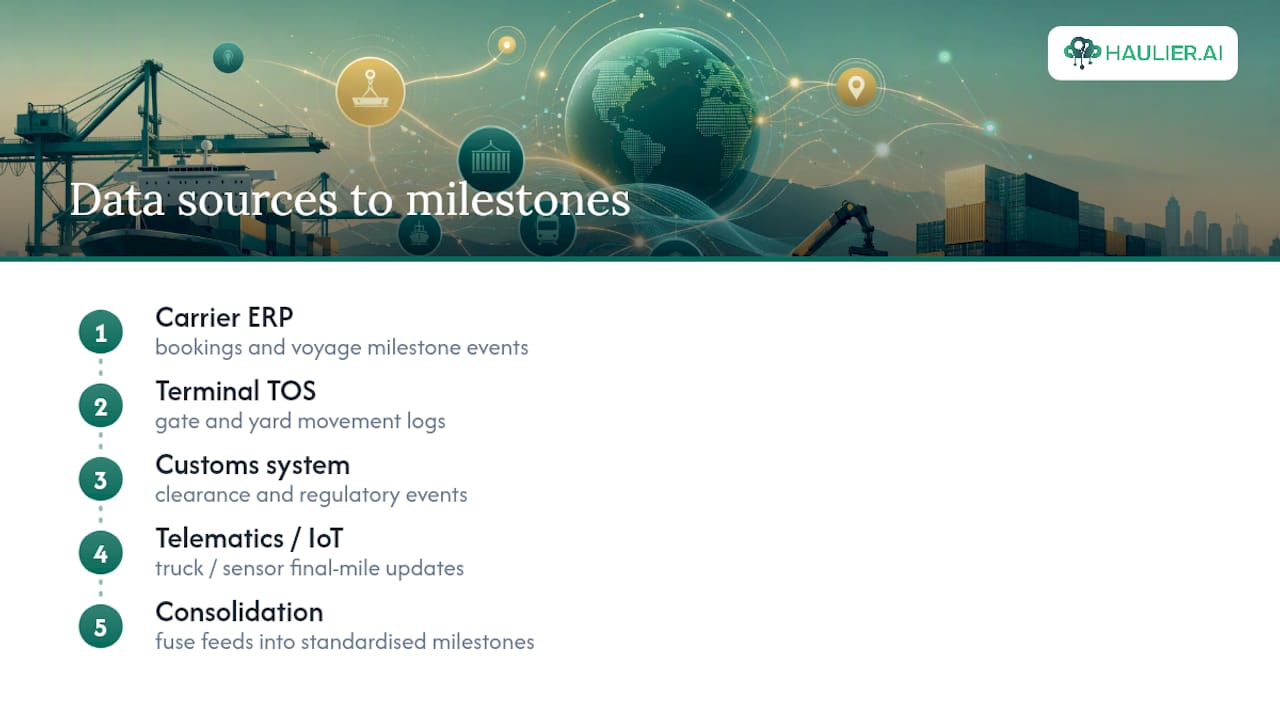
The trouble is that no single source holds the whole story. Carrier ERP systems track bookings, terminal operating systems (TOS) log gate and yard movements, customs systems handle clearance, and telematics or IoT sensors on the truck report the final mile. Good trackers pull from all of these.
That is why “real-time” means different things depending on where the box sits. At sea, AIS vessel signals refresh roughly every two minutes within coastal coverage, but carrier milestone updates might only post once a day. On the destination leg, telematics and appointment systems can update within minutes. Fusing daily carrier polling with a continuous AIS feed gives you the closest thing to a live picture.
Where updates come from and which ones matter for delivery planning
Ocean-leg events (loaded, departed, in transit, transhipped) tell you roughly where the vessel is and whether the schedule is holding. AIS is useful here but has limits. It tracks the ship, not the box, so it goes dark the moment your container gets discharged and reloaded onto another vessel at a transhipment port.
Land-side and terminal events matter more for delivery planning. Discharge, customs release, and gate out are the updates that actually predict when a truck can collect the box. A container order can generate numerous separate data points between arrival and final drop, and missed documentation is a common cause of failed collections or detention charges.
Truck appointment systems (TAS) sit at the centre of this, as explained in Cross Dock & Delivery Services in Nova Scotia | Get it Picked. They govern when a haulier can actually enter the terminal, and research on drayage scheduling shows that integrating TAS constraints into planning reduces waiting times and improves reliability compared with fixed, deterministic schedules.
How to read status messages and when to act
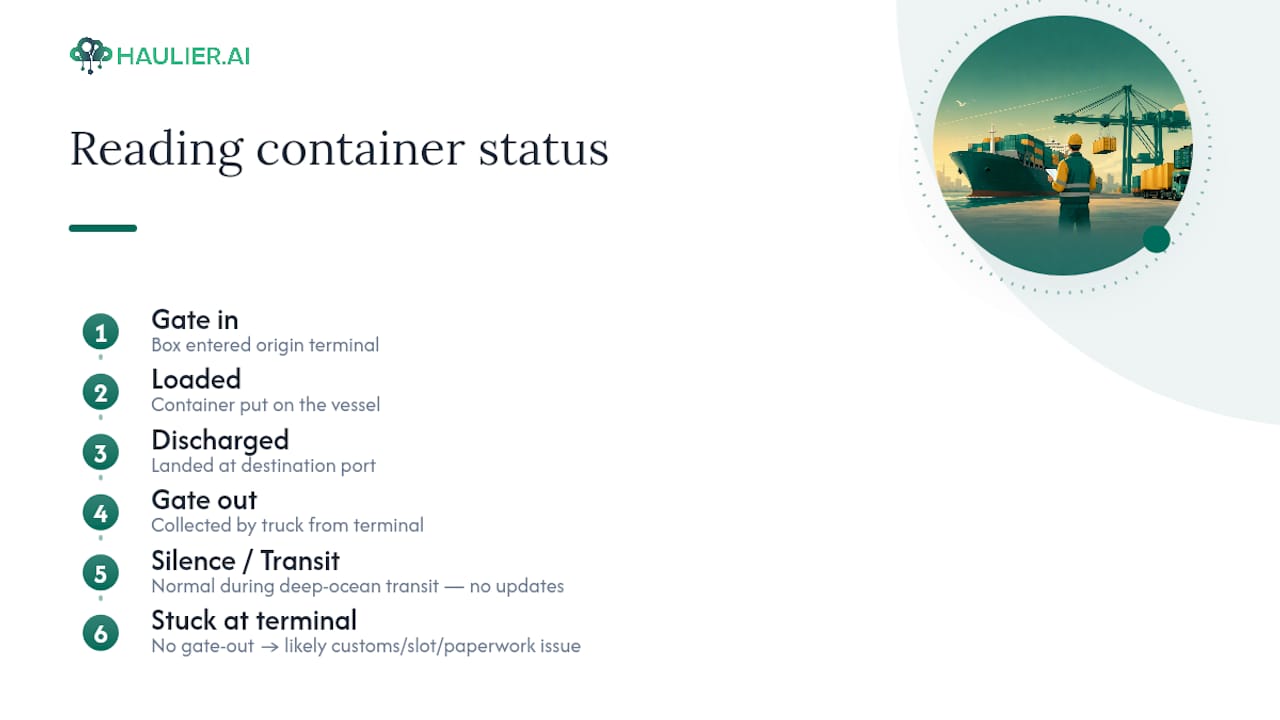
Most status strings map to something specific: “gate in” means the box entered the origin terminal, “loaded” means it is on the vessel, “discharged” means it has landed at the destination port, and “gate out” means a truck has collected it. None of these are ambiguous once you know the sequence.
Silence, though, is where people panic unnecessarily. Gaps during deep-ocean transit are normal and typically expected because there is nothing new to report between ports. The point to actually worry is when a container sits at the destination terminal without a gate-out update for an extended period. That usually signals a customs hold, a missing appointment slot, or a paperwork mismatch.
Cross-check any ETA change against the vessel’s own AIS position and its published port calls before assuming the worst. If a delay is confirmed, contact the terminal or your haulage desk first, not the carrier’s general helpline, since local gate staff usually know the actual cause faster than a call centre.
How to check container status right now
If you have a container number and nothing else, work through these steps in order:
- Try the carrier’s own portal first. It usually has the most current gate and vessel data for that specific booking.
- Move to a multi-carrier tracker if the carrier portal is slow or the box has changed hands through transhipment.
- Cross-check with an AIS or vessel lookup when you need to confirm a schedule change independently of the carrier’s own reporting.
If the container number returns nothing, try the booking reference, bill of lading number, or the customs MRN instead. Format errors (extra spaces, wrong prefix letters, mixing up container and chassis numbers) are the most common cause of a “no result” message. Once you find the right record, subscribe to email or SMS alerts on it immediately rather than repeating the search manually every day.
Alerts, subscriptions, and system integrations that keep you informed
Email and SMS alerts work well for occasional shipments, but they do not scale once you are tracking dozens of containers a week. At that volume, push notifications, webhooks, or a direct API feed into your own systems are the better fit.
Behind the scenes, well-built tracking platforms poll carrier endpoints roughly once a day, cache the results, and lean on AIS for anything that needs a live position. That pattern avoids hammering carrier APIs and keeps latency low without burning through rate limits.
For businesses managing volume, connecting tracking data to a TMS or WMS, syncing TAS appointment slots to a shared calendar, and capturing proof of delivery automatically all reduce manual checking. If you are integrating via API, confirm who has access to that data and how long event history is retained, since dispute resolution often depends on being able to pull the full event trail months later.
How to prevent missed updates on the destination leg
Most missed updates happen at the handoff points, not mid-voyage. Two patterns fix most of them: fusing carrier polling with AIS so the system automatically switches subscriptions when a container transships, and keeping a human checking exceptions rather than trusting automation blindly. Combining automated polling with a human-backed desk that verifies customs paperwork and confirms appointment slots catches the cases where a booking looks fine on paper but the terminal has a different appointment window on file.
Pro Tip: Book the truck appointment slot as soon as the discharge event posts, not after gate out confirms. Terminals with tight TAS windows fill quickly, and waiting to book can delay your collection significantly.
Operations checklist: what to do at each stage
Treat container visibility as a set of checkpoints, not a single dashboard you glance at once.
- Pre-departure: confirm booking details, container number, and documentation match across carrier, customs, and your own system.
- Ocean transit: set ETA alerts and check AIS position weekly, especially around known transhipment ports.
- On arrival: watch for discharge and customs release events; flag anything sitting more than five business days without a gate-out update.
- Final delivery: confirm the TAS appointment slot, check site access and offload requirements in advance, and capture proof of delivery immediately on drop.
Retaining the full event history after delivery matters too. It is the record you need if a detention charge or delivery dispute comes up weeks later, and it is far easier to pull from a system than to reconstruct from memory.
Why tracking has to be operational, not just informational
Most tracking failures are not data failures. They are workflow failures, a status update nobody read until the appointment slot had already closed. Dashboards that just display information are not enough. What actually reduces missed deliveries is automation that flags exceptions plus a person who checks the awkward cases the software cannot judge, like a paperwork mismatch buried in a customs field.
— Vytautas
Fewer missed updates, less admin, one transport desk
Some platforms combine tracking from multiple portals and helplines to provide a unified view for container shipments. Instead of a stack of tabs and unread alerts, you get one transport desk that combines automated tracking with a human checking the exceptions before they become missed appointments.
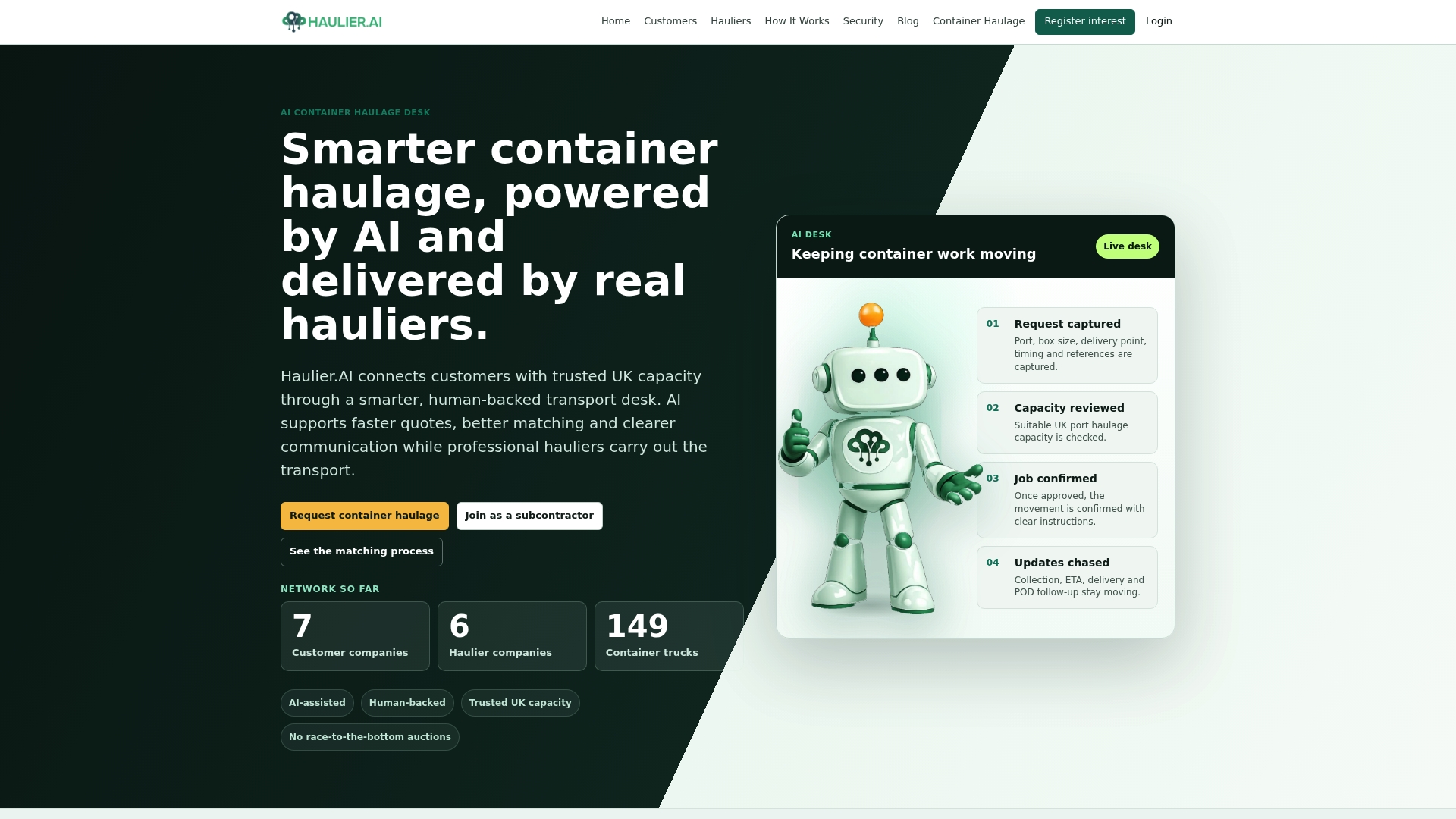
Certain platforms match freight forwarders and importers to available hauliers, with integrated paperwork tracking and status updates as part of the booking process. Some platforms allow hauliers to control their rates and accept or decline jobs, aiming to maintain fair pricing and realistic capacity availability. If you are tired of paperwork delays turning into missed gate-outs, look at how the platform’s transport desk works or go straight to request container haulage and get a quote for your next booking.
Sources
Background drawn from DP World’s guide to container tracking, Broadpath’s technical breakdown of tracking systems, and academic research on drayage scheduling with truck appointment systems. For implementation detail, see Haulier’s guide on avoiding missed updates and delivery scheduling.
FAQ
How do I check the status of my container?
Enter the container number into the carrier’s own portal first, then try a multi-carrier tracker if that fails, and cross-check against an AIS vessel lookup if you need an independent read on the schedule.
Why are shipping containers being delayed?
Most delays trace back to customs holds, missing truck appointment slots, or terminal congestion rather than the vessel itself; TAS integration has been shown to reduce these waiting times where terminals use it properly.
Are shipments from China to the UK currently delayed?
Delay patterns shift with port congestion and seasonal demand rather than staying fixed, so check the specific vessel’s schedule and terminal dwell times rather than relying on general news.
What are the latest updates on shipping container tracking?
Tracking has moved toward fusing carrier milestone data with continuous AIS feeds and automatically switching subscriptions at transhipment, which keeps a container visible even when it changes vessels mid-voyage.
How long is normal for a container to sit with no status update?
Gaps during ocean transit are expected and not a concern; the point to check in is when a container sits at the destination terminal for more than five business days without a gate-out event.