
Container haulage article
How to avoid missed updates in container haulage
Learn how to avoid missed updates in container haulage with milestone alerts and effective automation strategies for optimal logistics management.
Stop missed updates by mandating milestone alerts, writing SLA-backed timetables into every haulier agreement, and building automation with fallback logic that flags itself when it goes quiet. That is the whole strategy in one line, and it is what separates operators who spend Friday afternoons chasing containers from those who do not. Ryder’s guidance on logistics SLAs backs the first point directly, and Haulier.AI’s transport desk exists largely to handle the third.
Three things to do this shift:
- Set an ETA alert threshold at 30 minutes or more, so a delay triggers a message before a customer has to ask.
- Require document deadlines in writing (booking closing time, document submission time) with a named owner for each.
- Add a second notification channel for anything marked urgent, to avoid a dead inbox causing missed container alerts.
Key Takeaways
Reliable container updates depend on named milestone owners, contractual SLA thresholds, and automation with built-in fallback logic rather than any single tracking tool.
| Point | Details |
|---|---|
| Set milestone thresholds | Alert automatically on ETA changes of 30 minutes or more and unacknowledged LFDs after 24 hours. |
| Write deadlines into contracts | Booking closing time, document delivery deadline and required data fields belong in every haulier agreement. |
| Build fallback logic | Retry, queue, and alert when a feed goes quiet instead of assuming silence means no problem. |
| Test with trial shipments | Run a trial shipment and audit inbox-to-TMS logs monthly to catch gaps before they scale. |
| Use a human-backed desk | Haulier.AI pairs automated monitoring with a human transport desk to catch exceptions automation misses. |
Table of Contents
- Quick checklist: what to fix before your next shift
- What SLAs should require from haulage partners
- Why do automated updates silently fail?
- What thresholds should trigger an escalation?
- Choosing the right channel for each update
- How do you test whether your updates actually work?
- How Haulier.AI keeps updates flowing when automation stalls
- Sources
- FAQ
Quick checklist: what to fix before your next shift
Most missed updates trace back to the same handful of gaps: nobody owns the milestone, nobody set a threshold, or the message went to one channel that failed silently. Fix these five things and the bulk of the problem disappears.
- List the milestones that matter. ETA/ETD changes, gate-in and gate-out, customs release, proof of delivery (POD), and last free day (LFD) are the events that actually change what your team does next.
- Name a document gate for every job, following best practices as outlined in the courier handover documentation guide. Booking closing time and document submission deadline should sit in the job record, not in someone’s memory.
- Assign a single point of contact per milestone. If everyone is responsible, nobody checks.
- Use two channels for urgent exceptions. A push notification combined with a backup channel like SMS is more reliable than a single email that may be missed in a full inbox.
Pro Tip: Write your urgent-exception template once and reuse it: “[Container ID] / [event] / [new time] / [action needed] / [who to contact].” Five fields, no prose, no ambiguity.
What SLAs should require from haulage partners
A haulier agreement without named milestones is not really an SLA, it is a hope. If a partner cannot tell you when they will confirm gate-in, you have no contractual lever when they miss it.
Every agreement or booking confirmation should list:
- Mandatory milestones with expected reporting windows (ETA/ETD, gate-in/gate-out, customs release, POD).
- Booking closing time, document or data delivery deadline, and the point after which changes are no longer accepted, matching the structure Walter Group’s standardised booking framework sets out.
- A required data set attached to every milestone: container number, timestamp, and event source, so an update can be verified rather than taken on trust.
- A breach clause defining what happens when a milestone is missed and who gets notified first.
Automated alerts triggered by an ETA change of 30 minutes or more prevent the most common failure in this chain: the customer calling in before the haulier has said anything. Build that threshold into the contract language itself, not just your own internal tooling, and the obligation to notify sits with the party best placed to know first.
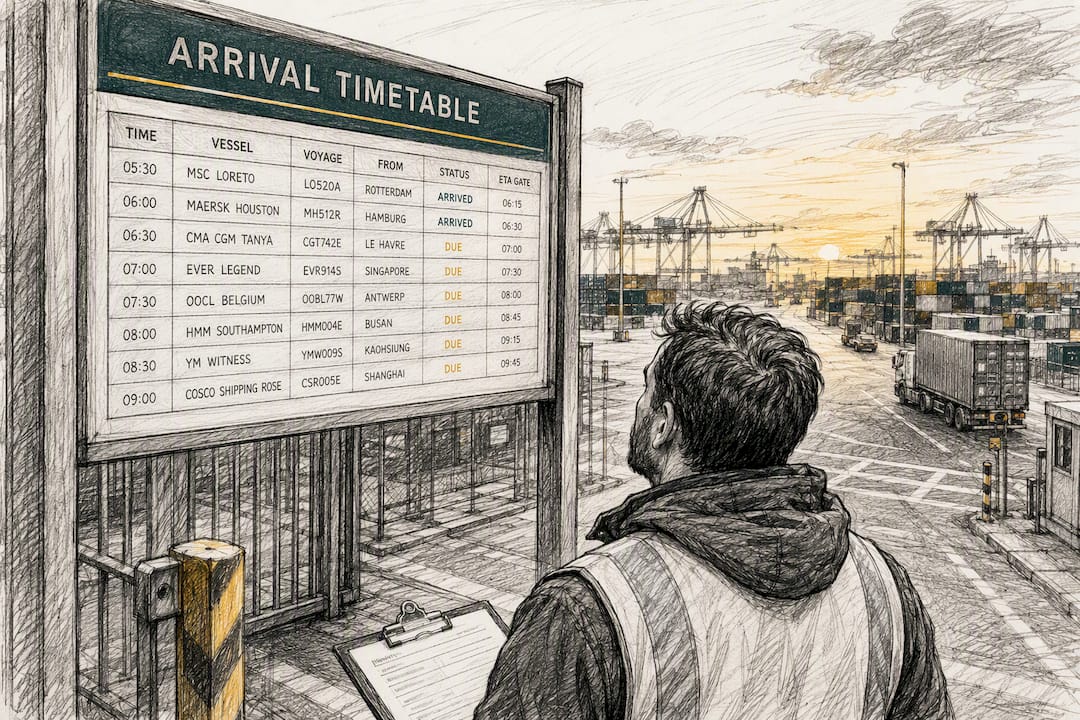
For port-specific timetables, the rules for Southampton departures and London Gateway gate operations show how differently these deadlines can be structured depending on the terminal.
Why do automated updates silently fail?
Automation breaks quietly far more often than it breaks loudly. A webhook stops firing, a carrier API changes its response format, or a rate limit gets hit during a peak week, and nobody notices until a container has already missed its last free day. SynkrAI’s analysis of failed logistics automation identifies missing payloads and misconfigured triggers as the two most common causes, and both produce the same symptom: nothing arrives, and everyone assumes nothing happened.
Three design rules reduce this risk substantially:
- Use canonical container and booking identifiers across every system, so a mismatched reference doesn’t silently drop an event.
- Normalise carrier language into a small set of standard milestone families rather than passing raw status codes straight through, an approach CXTMS’s work on tracking status codes argues for directly, while keeping the raw carrier payload on file for disputes.
- Build retry and backoff logic, queue critical events with priority over routine ones, and alert when a feed has gone quiet for longer than expected rather than assuming silence means calm.
None of this replaces a human check. Scheduled integration audits and direct calls to carrier operations catch the failures automation misses, particularly the ones where a system reports success while the data behind it is wrong.
Pro Tip: Treat “no update in six hours” as an alert condition in its own right, not just a missing data point. A quiet feed is a symptom, not neutral information.
What thresholds should trigger an escalation?
Detecting a missing update early means deciding in advance what “too quiet” looks like, rather than discovering it when a customer calls asking where their container is.
- Trigger an alert if no milestone event has arrived within a set window, typically ranging from several to a dozen hours depending on shipment stage.
- Escalate any last free day (LFD) that remains unacknowledged after 24 hours to a named operations lead.
- Watch webhook and notification success rates directly. SynkrAI recommends treating a success rate drop below 95% in any hour as an immediate investigation trigger.
| Trigger condition | Action |
|---|---|
| No milestone event for 6 to 12 hours | Auto-flag for manual carrier check |
| ETA change of 30+ minutes | Send immediate alert to customer and haulier |
| LFD unacknowledged after 24 hours | Escalate to named operations lead |
| Notification success rate below 95% in an hour | Trigger integration audit |
The container tracking data points Frayto highlights, including ETD/ETA, customs clearance, and vessel milestones, are the same events these thresholds should be built around. Assign each escalation tier to a specific role: automated systems handle the first flag, a duty operator makes the manual check, and only genuine carrier disputes go to a supervisor.
Choosing the right channel for each update
Not every event deserves an SMS, and not every event should sit quietly in an email digest. Match the channel to the severity: routine ETA confirmations can go by email or app notification, but a missed gate-in or an unacknowledged LFD needs SMS or a phone call.
- Keep templates short and structured: status, timestamp, owner, required action, and next step, nothing more.
- Segment notifications by audience. A warehouse manager doesn’t need customs paperwork updates; a compliance team doesn’t need gate times.
- Reserve urgent channels for genuinely urgent events, or your team starts ignoring every alert, including the ones that matter.
- Always have a fallback channel defined. If SMS fails, the system should try a phone call or route the alert to a supervisor’s dashboard.
How do you test whether your updates actually work?
The only way to know your visibility setup works is to run a shipment through it deliberately and measure what happens. A trial shipment is a low-risk way to check that alerts, documents, and partner responsiveness hold together end to end before you scale a new process across your whole book.
- Run a trial shipment and measure notification latency, missing data fields, and how often staff had to override the automated flow manually.
- Audit the inbox-to-TMS loop and webhook logs monthly, checking that milestone data is landing in the system without manual re-entry. Centralising this data can cut an eight-minute manual cycle to a two-minute review per pre-alert.
- Run weekly spot checks on live shipments and a fuller integration review monthly.
- Feed findings back into SLA renewals and haulier scorecards, so recurring gaps get fixed at the contract level, not just patched operationally.
Why exception-first visibility matters more than tracking dots on a map
Most tracking tools show you where a container is. Few answer the question that actually matters operationally: is it ready for final delivery, and does someone need to act right now? Exception-first visibility flips the default from “check if something’s wrong” to “get told the moment something is.” An AI-assisted, human-backed desk works because it catches the automation failures a pure software layer misses, then puts a person on the exceptions that need judgement rather than another dashboard.
— Vytautas
How Haulier.AI keeps updates flowing when automation stalls
Haulier.AI is built around the same exception-first principle this article has laid out, because a marketplace connecting freight forwarders to hauliers lives or dies on whether updates actually arrive.
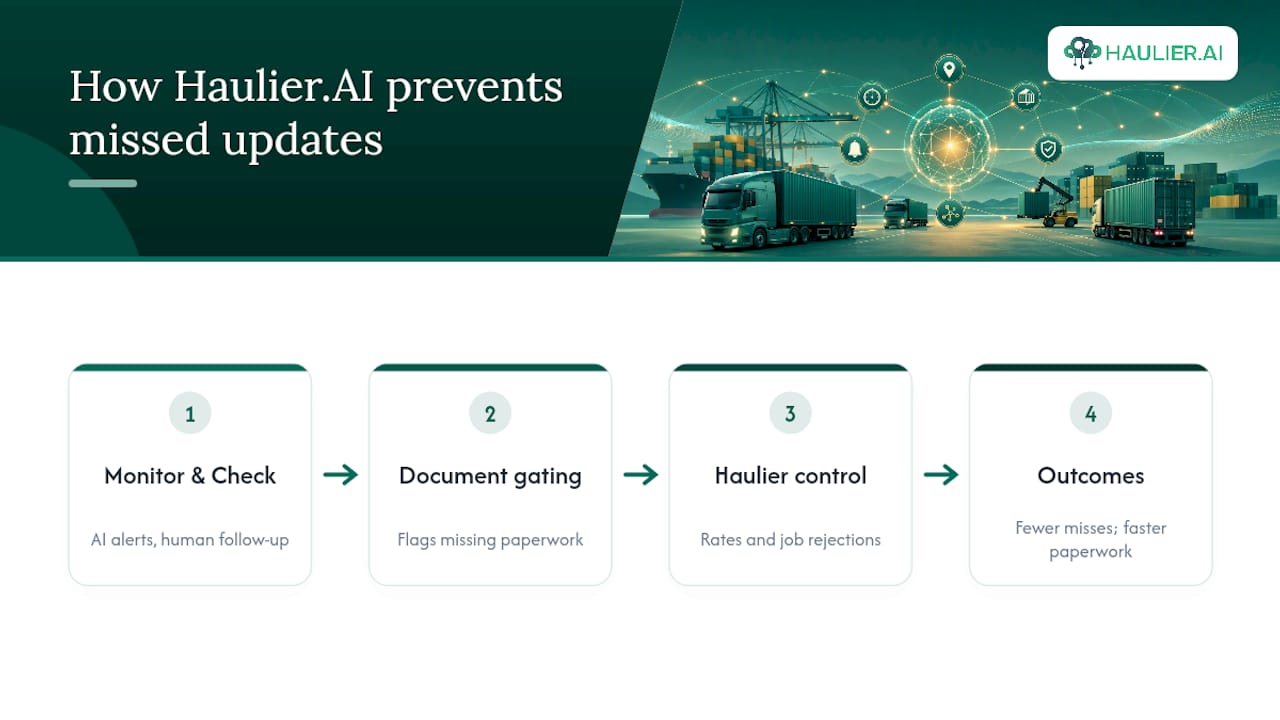
The platform pairs AI-assisted monitoring with a human-backed transport desk, so when a webhook goes quiet or a carrier feed stalls, a person checks it rather than a customer discovering the gap first. Document gating flags missing paperwork before a booking deadline passes, and because hauliers control their own rates and can reject unsuitable jobs, the capacity you get matched with is genuinely available rather than a phantom slot that falls through later. The result is fewer missed milestones, faster paperwork turnaround, and less time spent chasing status by phone. If you’re moving containers through UK ports and want a desk that catches the exceptions before they become your problem, Haulier or request container haulage directly to get your next booking moving.
Sources
- Why are my automated logistics status updates using Make not reaching clients on time | SynkrAI Blog
- Real-Time Container Tracking: Essential Data for Effective Shipment Visibility | Frayto
- Standardized digital booking (Walter Group)
FAQ
What causes most missed shipment updates?
Silent automation failures, such as a webhook that stops firing or a carrier API that changes format, cause most gaps, according to SynkrAI’s analysis of logistics automation. Missing milestone ownership and undefined thresholds compound the problem.
How often should ETA alerts be triggered?
Trigger an alert whenever the ETA shifts by 30 minutes or more, a threshold Ryder identifies as best practice for preventing reactive customer enquiries.
What should a haulage SLA include to prevent missed updates?
It should name mandatory milestones, define booking and document deadlines, require specific data fields with every event, and set breach remedies, following the timetable structure in Walter Group’s standardised booking guidance.
How do trial shipments help reduce missed updates?
A trial shipment lets you measure notification latency and missing data fields on one real job before rolling a process out across your full volume.
Does Haulier.AI help with missed update problems?
Yes. Haulier.AI combines AI-assisted monitoring with a human-backed transport desk, so exceptions and document gaps get caught and actioned rather than discovered after the fact.