
Container haulage article
Stop Missed Crossings: GVMS for UK Hauliers With a One Page Checklist
Practical GVMS steps for UK hauliers: register, create and verify GMRs, monitor status en route, and avoid holds or a £2,500 civil penalty.
GVMS is mandatory at every covered RoRo and Eurotunnel location, and you cannot check in without a valid goods movement reference. The haulage company creates that GMR, not the trader, and must confirm it’s clean before the vehicle reaches the port. Check the port list, register for GVMS, generate and verify the GMR, then confirm check-in details with your carrier. Skip any of these steps and the vehicle gets turned away.
TL;DR:
- Hauliers are responsible for creating and verifying the GMR, which must include accurate vehicle, trailer, and declaration references to avoid delays.
- Using an API for GMR creation is recommended for high-volume operators to save time and reduce errors compared to manual entry.
- The most common reason for GMR rejection is data mismatch, especially between trailer or MRN details and the physical vehicle on the day of crossing.
- Monitoring GMR status in real-time during transit helps prevent holds and ensures quick response if the vehicle is diverted to an Inland Border Facility.
- Most GVMS issues stem from communication gaps and can be minimized by using managed transport platforms that track paperwork and driver status centrally.
Table of Contents
- What the Goods Vehicle Movement Service is and why it exists
- Who must use GVMS and who creates the GMR
- How to register for GVMS and connect to it
- Creating a GMR: the data you need and where it goes wrong
- Checking GMR status: what held, embarked and complete actually mean
- Which UK ports use GVMS and how to check location rules
- Check-in, embarkation and the moment customs arrival triggers
- Common errors and the penalties for getting it wrong
- Practical port checklist for hauliers and drivers
- How real-time tracking closes the gaps GVMS exposes
- Operationalising GVMS compliance
- A different way to keep GVMS movements moving
- Sources
- FAQ
What the Goods Vehicle Movement Service is and why it exists
GVMS is HMRC’s system for managing goods vehicles crossing the UK border at RoRo ports and Eurotunnel. It underpins the “pre-lodgement model”, meaning customs declarations get submitted electronically before the vehicle ever reaches the border, rather than processed at a physical checkpoint.
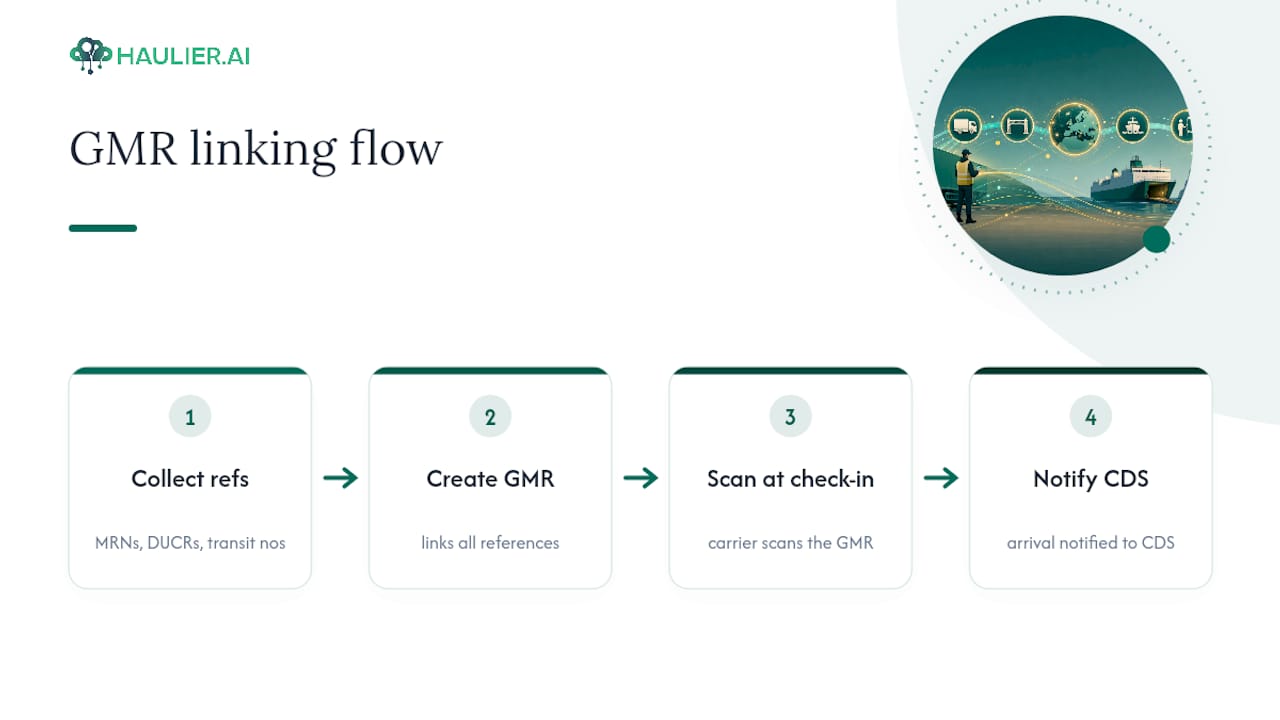
The GMR is the operational envelope that holds it all together. Instead of a driver carrying separate paperwork for an export declaration, an import declaration, and transit documents, the haulier links all the relevant references (MRNs, DUCRs, transit numbers) to one GMR number. That single reference is what the carrier scans at check-in, and it’s what tells GVMS to notify CDS that the goods have arrived once the vehicle embarks.
HMRC introduced GVMS on 1 January 2021, timed to coincide with the end of the Brexit transition period. Before that, RoRo borders like Dover and Eurotunnel had no infrastructure for stopping vehicles to check customs paperwork without creating chronic tailbacks. GVMS was built specifically to keep goods moving without a physical customs post at the border itself.
Who must use GVMS and who creates the GMR
The haulage company carrying the goods is responsible for creating the GMR, not the freight forwarder and not the importer, even when someone else handles the customs declarations. This catches out newer hauliers regularly: you can be running someone else’s trailer on a subcontracted job and still be the party HMRC holds accountable if the GMR data is wrong.
A GMR is required in several specific scenarios:
- Any GB to EU or EU to GB movement through a GVMS-enabled RoRo port
- GB to Northern Ireland movements and certain Northern Ireland to GB movements
- Goods moving under Common Transit procedures
- Movements using a TIR carnet or ATA carnet in defined circumstances
Carriers have their own obligations too. At check-in, the carrier (the ferry or train operator) checks the GMR against the physical vehicle and, where relevant, against an operator API feed that flags whether the reference is valid before the vehicle even reaches the booth. Traders supply the underlying declaration references, but it’s the haulier who pulls them together into the GMR. If your subcontractor is driving the trailer, the accuracy of that GMR is still on you.
How to register for GVMS and connect to it
Registration happens through your Government Gateway account on GOV.UK, and most hauliers can be set up within a working day if their EORI details are already in order.
- Log in or create a Government Gateway account linked to your business.
- Register for GVMS using your GB EORI number.
- Add the vehicle registrations and trailer details you’ll be moving under that account.
- Decide whether you’ll create GMRs manually through the web interface or via software.
Smaller operators running a handful of crossings a week are usually fine using the GOV.UK web service directly. High-volume hauliers, and any business acting as a carrier, tend to integrate through the carrier API documented on the HMRC developer hub, which lets a transport management system create and check GMRs automatically rather than someone doing it by hand for every load.
Pro Tip: If you’re weighing up manual entry against API integration, count your weekly crossings first. At a moderate weekly number of movements, the time saved from automated GMR creation usually outweighs the development cost within a couple of months.
Creating a GMR: the data you need and where it goes wrong
Once you’re registered, you create the GMR through the GOV.UK service, and the accuracy of what you enter here determines whether the vehicle sails through check-in or gets pulled aside.
You’ll need the vehicle registration number, trailer or container reference, and the relevant declaration references for the movement. That last part varies by cargo and route:
- MRN (Movement Reference Number) for standard customs declarations
- DUCR (Declaration Unique Consignment Reference) for certain export movements
- TIR carnet number for goods moving under the TIR convention
- ATA carnet number for temporary admission goods
Two exceptions exist where you don’t need full declaration references attached. An “oral or by conduct” declaration applies to specific low-risk categories such as personal belongings or certain low-value goods, and an “empty trailer” option covers vehicles genuinely running with no load. Neither exception is a shortcut for goods that simply lack paperwork. Using either incorrectly to bypass a missing declaration is the kind of thing that gets flagged, and GOV.UK is explicit that misuse can lead to penalties.
The most common rejection reason isn’t a missing reference. It’s a mismatch: the trailer number on the GMR doesn’t match the trailer physically at the port, or the MRN attached hasn’t reached “Permission to Progress” status. For pre-lodged exports specifically, GVMS validates the DUCR against P2P status before allowing the movement, and if P2P isn’t present, the system will block you and tell the haulier not to proceed to the port at all. That’s a useful safety net, but only if someone actually checks the GMR before the driver sets off, not after they’re queuing at the terminal.
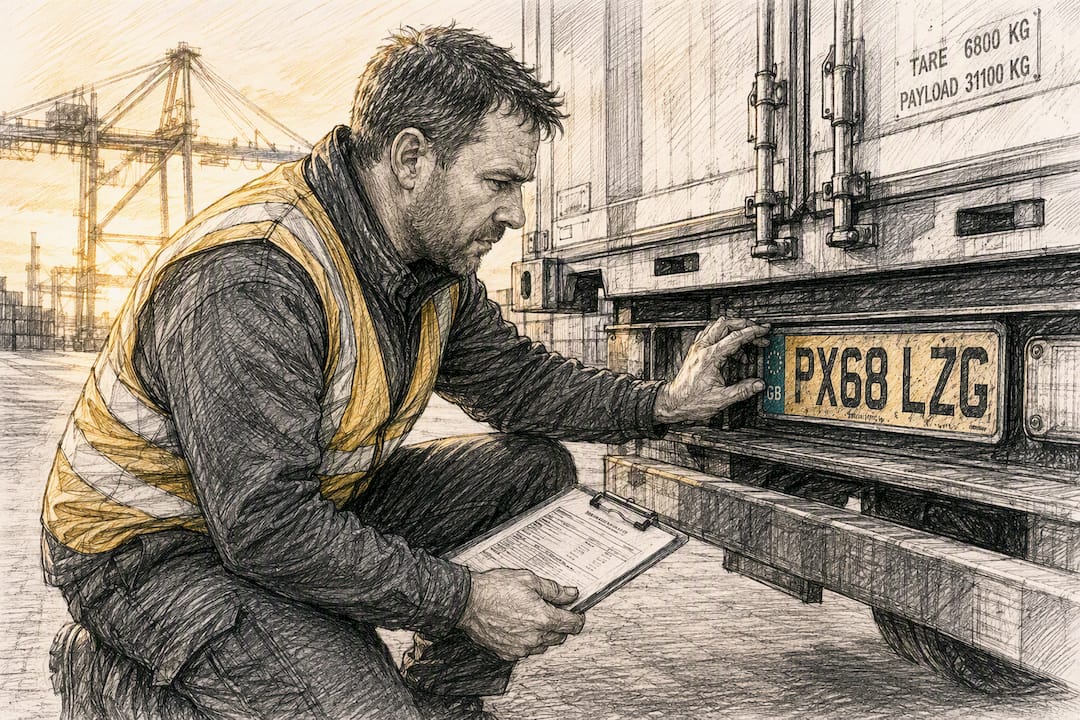
Data mismatch is the single biggest cause of held movements at GVMS-enabled ports. Vehicle and trailer details entered at GMR creation must match exactly what’s coupled together on the day, down to the registration plate.
Checking GMR status: what held, embarked and complete actually mean
You can check a GMR’s status through the GOV.UK validation service, through your software provider’s interface if you’re using the carrier API, or via the carrier’s own check-in screens at port. Each status means something specific and demands a different response:
- Open means the GMR exists and is linked correctly, but the vehicle hasn’t checked in yet. No action needed beyond attending port as planned.
- Held means customs or another agency needs to inspect the goods. The vehicle must divert to an Inland Border Facility rather than boarding, and the driver needs to know this before they reach the port gate.
- Embarked means the vehicle has boarded and GVMS has triggered the arrival notification into CDS automatically.
- Complete means the movement has finished and no further action is required.
The “held” status is the one that causes genuine disruption, and it’s why monitoring the GMR during the journey matters just as much as getting it right beforehand. A movement can switch from open to held while the driver is still en route, so whoever manages your GMRs needs live visibility, not a one-off check done that morning. GOV.UK’s inspection service tells you exactly where to report if that happens.
Which UK ports use GVMS and how to check location rules
GVMS covers most major RoRo ports handling GB to EU traffic, including Dover, the Eurotunnel terminal at Folkestone, and Holyhead for Irish Sea routes, but coverage and specific requirements vary by location. Always check the official ports list on GOV.UK before scheduling a new route, because not every port handles every declaration type the same way.
One distinction worth understanding is “arrived export” versus “standard export”. An arrived export means the goods are physically at the frontier when the export declaration clears, common at short-strait crossings like Dover. Standard export processing happens away from the frontier, which is why inland clearance depots and Inland Border Facilities exist at all. Dover and Eurotunnel both rely on nearby IBFs to handle physical inspections without holding up the main traffic flow, so if your GMR gets held at one of these crossings, the IBF is where you’re going, not the port itself.
Check-in, embarkation and the moment customs arrival triggers
At check-in, the carrier scans or enters your GMR and cross-checks it against the vehicle physically presenting itself. No valid GMR, no boarding. This isn’t a formality the carrier waves through when things look busy; a mismatched vehicle registration or an incomplete GMR at the booth means the vehicle gets turned away on the spot, regardless of ferry schedules or driver hours already ticking.
The critical moment comes at embarkation. Once the vessel’s bow doors close, or the train departs the terminal, GVMS automatically fires the arrival notification into CDS. That’s the system telling customs the goods have officially entered or left the country. Errors discovered after this point are genuinely difficult to unwind, because the customs record already reflects an arrival that may not match reality.
This is exactly why last-minute coordination between haulier, carrier, and trader matters more at GVMS ports than it did under the old paper-based system. If a declaration reference changes, or an MRN gets amended, someone needs to update the GMR before that vehicle boards, not after.
Common errors and the penalties for getting it wrong
Most holds trace back to the same handful of causes: a trailer reference that doesn’t match what’s coupled to the tractor unit, a GMR missing a required declaration reference, or the wrong movement type selected during creation (treating a Common Transit movement as a standard export, for instance).
Watch for these red flags before they become a full stop at the border:
- A GMR still showing “open” close to your scheduled crossing time, when it should already reflect a linked declaration
- Ignoring an instruction to report for inspection, rather than redirecting immediately
- Nobody on your team actively monitoring GMR status once the driver is en route
- Reusing a GMR template from a previous job without updating the trailer or vehicle registration
The consequences aren’t just a missed sailing. GOV.UK guidance is explicit that failing to follow inspection instructions can result in a civil penalty of up to £2,500, on top of the operational cost of a delayed load, a frustrated customer, and a driver burning through their hours in a queue.
Practical port checklist for hauliers and drivers
Run through this before every departure, not just the first few times you use a new route:
- Confirm the GMR status shows “open” or ready, with no outstanding declaration issues.
- Match the vehicle registration and trailer or container number on the GMR exactly against what’s coupled on the day.
- Give the driver the GMR number, plus copies of any MRNs, DUCRs, TIR or ATA references attached to the movement.
- Save the carrier’s check-in contact number and the nearest IBF location in case of a hold.
- Recheck GMR status roughly an hour before arrival at port, not just the night before.
Pro Tip: Keep a laminated card or shared note in the cab with the nearest IBF address and the carrier’s live support line. Drivers who know where to go the moment a GMR flips to “held” lose far less time than those waiting for a phone call back to the office.
How real-time tracking closes the gaps GVMS exposes
Most GVMS holds trace back to a communication gap, not a customs problem. A declaration status changes, but nobody tells the person building the GMR in time. That’s where a managed transport desk earns its keep: real-time visibility between the booking, the paperwork, and the driver on the road means a status change during transit gets caught before check-in rather than at the barrier.
Haulier’s platform tracks paperwork status alongside the physical job, so the gap between a declaration clearing and a GMR being updated shrinks considerably. Fewer missed updates mean fewer vehicles arriving at port with a GMR that no longer matches reality, which is the single biggest cause of a wasted crossing slot.
Operationalising GVMS compliance
Most GVMS problems aren’t customs problems. They’re communication problems wearing a customs hat. The checklist matters, the status monitoring matters, but neither works if the person creating the GMR is disconnected from whoever holds the declaration references that day.
The businesses that struggle most with GVMS aren’t the ones misunderstanding the rules. They’re the ones running the process on memory and a phone call, where a changed MRN sits unnoticed until a driver’s already queuing. A managed platform that keeps paperwork and driver status visible in one place solves the actual failure point, not just the symptom.
— Vytautas
A different way to keep GVMS movements moving
Chasing GMR updates by phone while a driver sits at check-in is not a sustainable way to run container haulage. Haulier gives freight forwarders and importers a transport desk where paperwork status, driver location, and haulier communication all sit in one visible thread, so a changed declaration reference gets caught before the vehicle reaches port, not after.
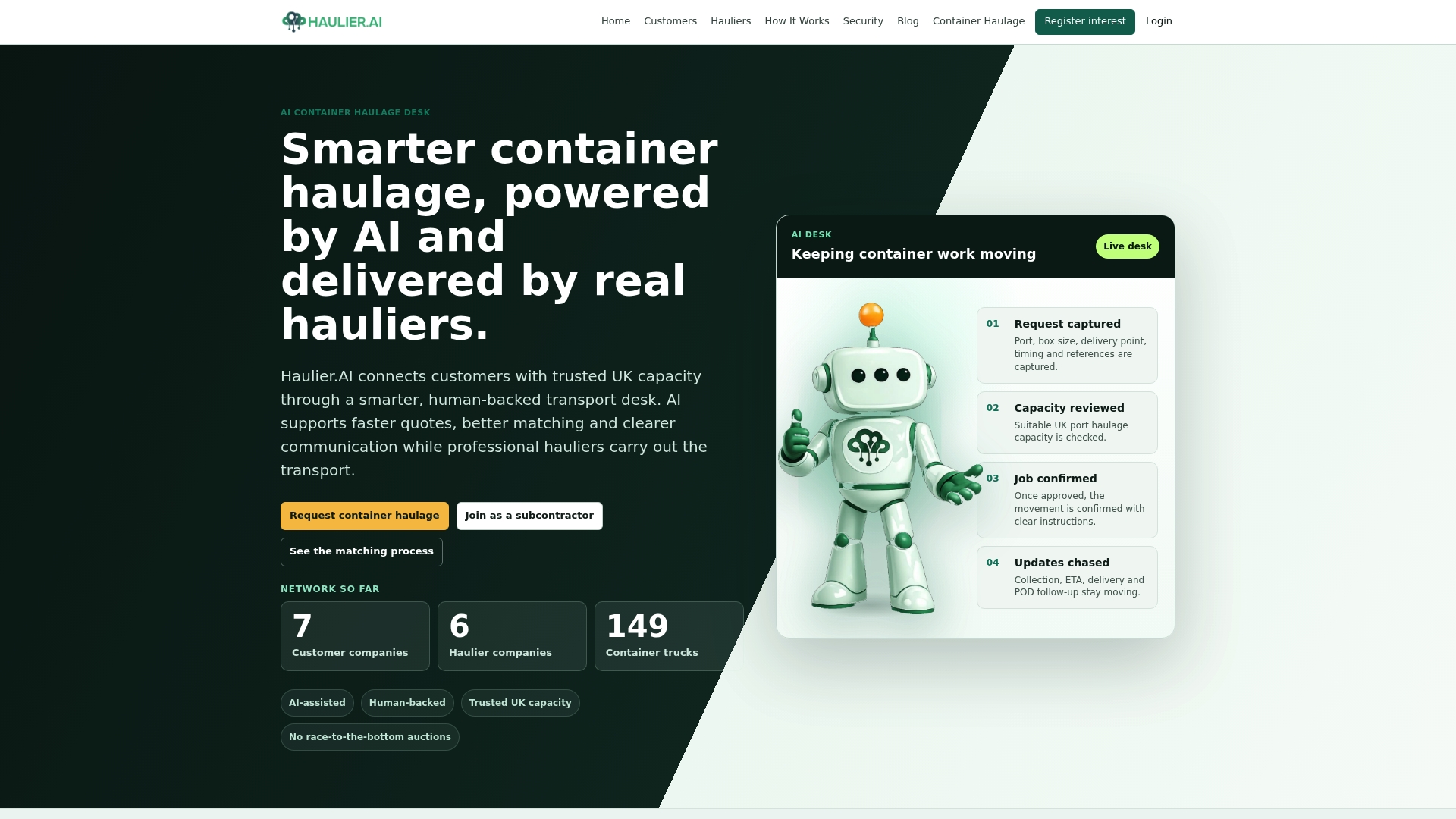
The platform’s AI-assisted transport desk matches your job to a vetted haulier who controls their own rates and can decline unsuitable work, so you’re not left waiting on a subcontractor who never confirmed the booking. Hauliers keep the paperwork tracked centrally, which cuts the mismatch errors that cause GMR holds in the first place. If you’re moving containers regularly and losing hours to missed updates, request a haulage quote and see how a managed desk handles the coordination for you.
Sources
Bookmark the GVMS introduction guide for the current ports list and process overview, and the create a GMR service for step-by-step creation. Software integrators should use the HMRC developer hub’s end-to-end guide, while the CIOT’s border guide offers useful supplementary commentary for advisers preparing clients. For general UK freight background, van-247delivery.com’s freight shipping guide is a reasonable primer.
FAQ
Which UK ports are GVMS ports?
Most major RoRo locations handling GB to EU traffic use GVMS, including Dover, Eurotunnel at Folkestone, and Holyhead, but coverage varies by route. Always check the current ports list on GOV.UK before scheduling a new crossing.
What does GVMS customs mean in practice?
It means your customs declarations are pre-lodged electronically and linked to a single GMR, which the carrier checks at boarding rather than a customs officer stopping the vehicle at a physical border post.
How do I check my GMR status?
Use the GOV.UK GMR validation service, your transport management software if it’s connected via the carrier API, or the carrier’s own check-in screen at port.
What happens if a GMR shows as held?
The vehicle must divert to an Inland Border Facility rather than boarding, and ignoring that instruction can carry a civil penalty of up to £2,500. Drivers should carry the nearest IBF location and the carrier’s contact number for exactly this situation.